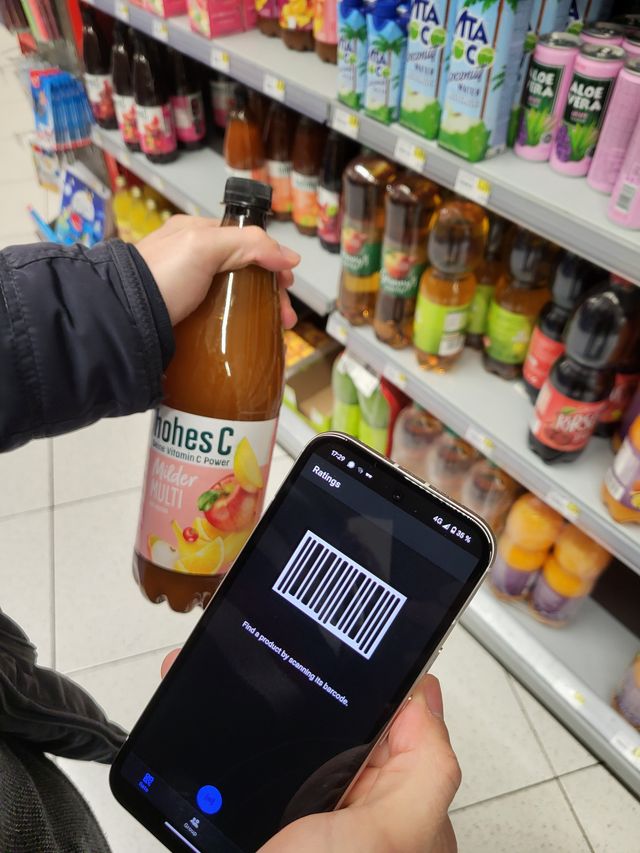
A young man stands puzzled in front of a supermarket shelf. Juices from the brand “Hohes C” in a wide variety of flavors challenge his memory. “Did my wife want the mild or the regular multivitamin juice? Or was the Multivitamin Red actually her favorite drink?” After much deliberation, he makes a decision. When he arrives home, the disappointment is great. Once again, he has brought the wrong juice. But these problems are now a thing of the past! He now has a lifeline in his pocket. With the Geschmeckt app, he can check at any time which products his family likes best.
Usage
The app is currently available for Android smartphones. Instructions on how to build the APK can be found in the README file of the linked GitHub project.
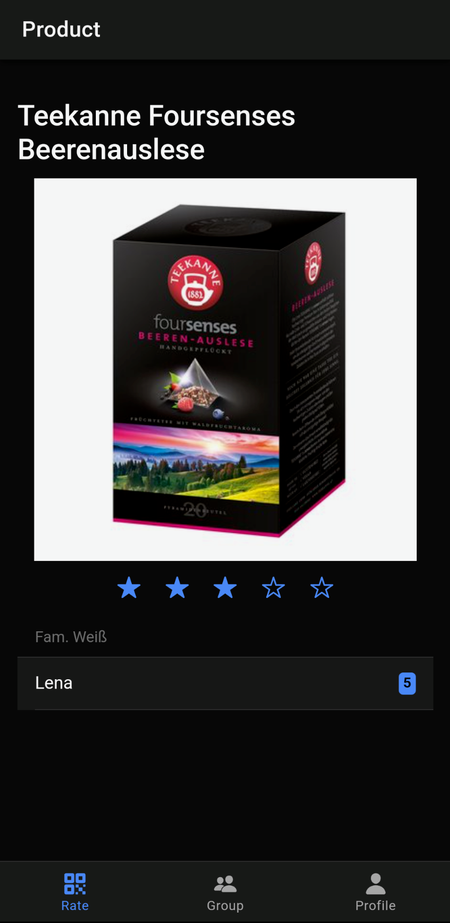
The start screen greets users with a rotating graphic from OpenMoji1. An account is required to use the app, and it can be created directly on the start screen. Logged in? Now the user can rate products. To do this, they simply scan the product’s barcode. If it exists in the Geschmeckt database, it can be rated. Figure 1 shows the described scene, and Figure 2 is a screenshot of the product detail page with the user’s own rating and that of a group member.
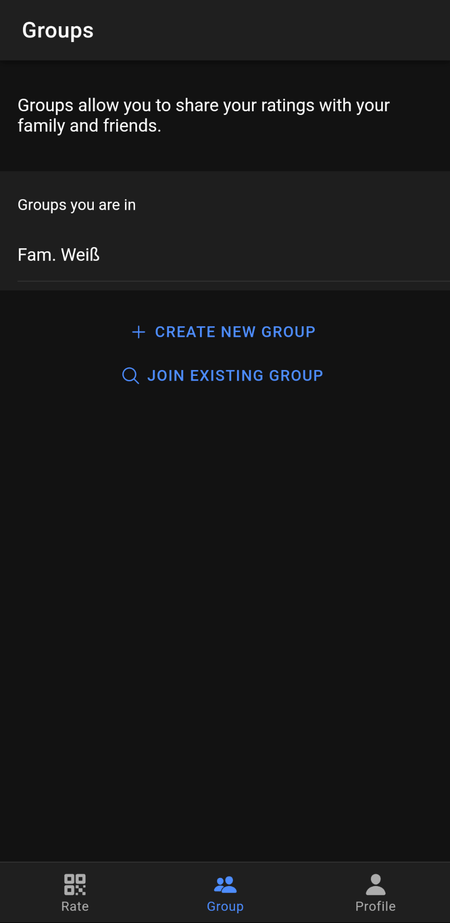
How do you share ratings with your family or friends? These shares can be organized into groups. To create a group or join an existing one, switch to the “Group” tab via the bottom navigation bar (Figure 3). A user can belong to multiple groups and thus share ratings with different groups.
Technical Details
The app is built with Ionic and uses the Angular frontend framework. It interacts with a REST API written in NestJS. The backend application persists data in a PostgreSQL database using the object-relational mapper TypeORM. Thanks to TypeORM, the database solution can be swapped out relatively easily, making operation with MariaDB or MySQL possible as well.
The NestJS application documents the REST API with Swagger. The generated OpenAPI documentation allows the frontend to generate an API client using the OpenAPI Generator. With this client, requests are nicely typed and prevent annoying typos that can easily occur with request parameters. However, a few tricks are required for the generated API client to work together with Capacitor’s HTTP API. You can find these in my post on generating an API client for Angular and Ionic.
The backend application is currently hosted on the FH Cloud. Due to unexplained connection issues with the MariaDB hosted there, I decided to use the service Supabase which provides me with a PostgreSQL database. Creating the database was extremely simple and quick.
Testing
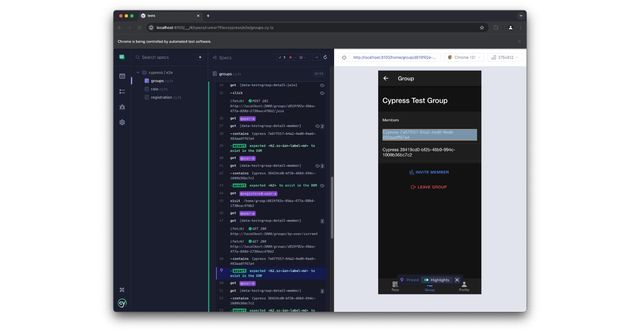
The focus of automated testing was on end-to-end tests. Since Ionic is a web-based app framework, it’s possible to rely on tools commonly used in web development. For Geschmeckt, the three key tasks in the user flow were tested: creating an account, creating/joining groups, and rating products or viewing ratings from group members. The screenshot (Figure 4) shows the Cypress interface while testing group management. Unfortunately, unit tests were written only to a limited extent in the backend.
Next Steps
The Ionic app framework fundamentally enables building applications for Android and iOS. Geschmeckt does not yet support iOS because I lack test devices. Unfortunately, using the simulator is not sufficient, since Geschmeckt uses the smartphone camera to scan barcodes, which can only be realistically tested on a real device.
Currently, a UUID must be entered manually to join a group. This is a temporary solution. The user experience would be significantly improved by using universal links. A user could then simply send an invitation link. On the recipient’s device, either the App Store would open or they would land directly on the group page inside the app.
A known issue is navigation via hardware back buttons. The implementation documented by Ionic unfortunately did not work fully in the Geschmeckt app. However, users cannot reach a dead end because a back button is always available in the header. When the camera is open for scanning, there are no UI elements. Fortunately, the hardware back button works here with the documented solution.
Which features would further improve the app?
- Searching for products by category and name would be very helpful for finding items.
- It would be practical for users to create shopping lists within the app so ratings can inform purchase planning.
- A useful extension could also be a meal planner. Based on recipes, users could plan their shopping. Combined with ratings, assembling plans would be simple and even automatable.
- With the created shopping list, the user could place an order with a delivery service such as the BILLA online shop.
Footnotes
-
All emojis designed by OpenMoji – the open-source emoji and icon project. License: CC BY-SA 4.0 ↩