Famplan brings recipes, meal planning, shopping lists, household inventory, and tasks together in one web application for the whole household. I built it to reduce the everyday effort of deciding what to cook, remembering what to buy, and keeping track of what needs doing. It works on desktop and mobile, and an integrated Model Context Protocol (MCP) server lets AI assistants such as ChatGPT work with the same data.
Features
Recipes, meal plans, shopping lists, inventory, and tasks are shared within each household, so everyone works from the same information.
- Recipes and meal planning: Save ingredients and preparation steps, adjust servings, and plan breakfast, lunch, and dinner for the week. Check recipe ingredients against what is already at home.
- Shopping lists: Prepare grocery lists from planned meals, account for recorded stock and items already on the list, and review what is missing. Check off purchases, even offline, and transfer bought items into inventory through a put-away step.
- Household inventory: Track quantities and expiration dates, update stock as it is used, and see which food should be used first.
- Tasks and daily overview: Assign tasks to household members, set due dates and recurring schedules, and see today’s meals, tasks, and expiring food together.
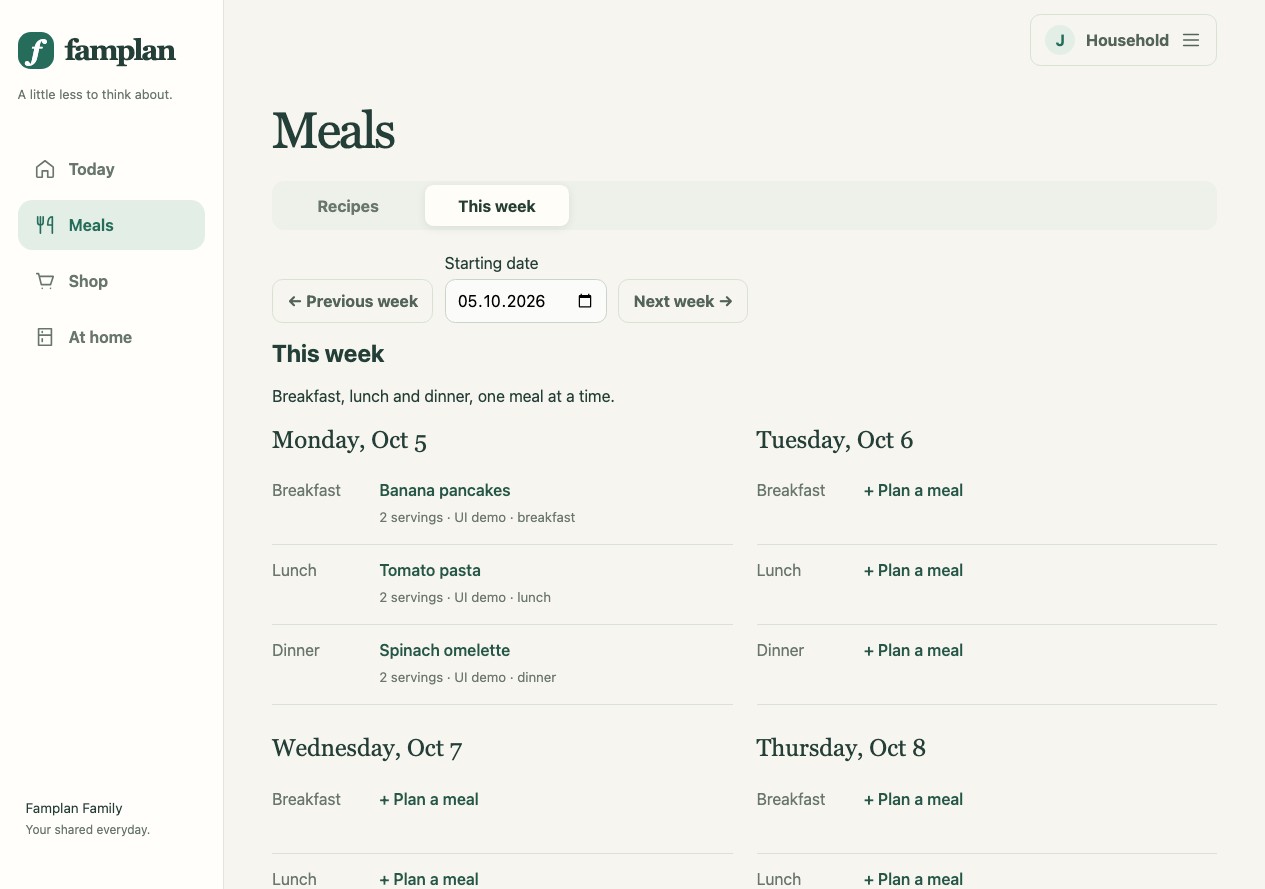
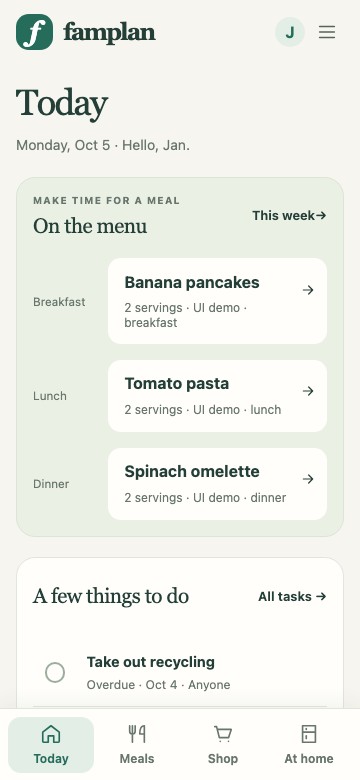
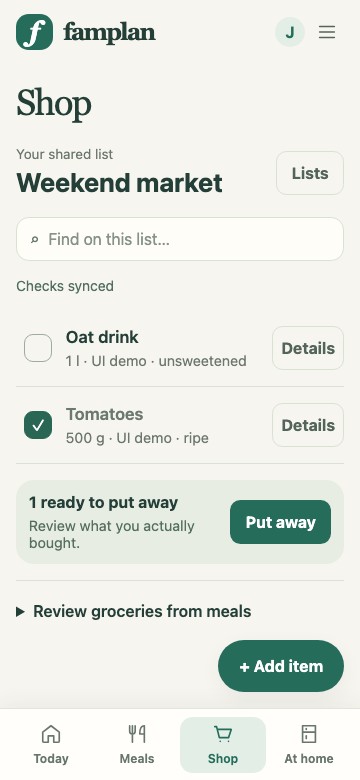
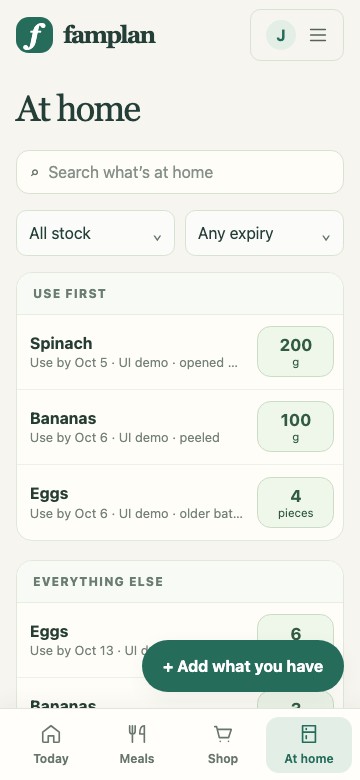
Planning through conversation
MCP makes these features available through natural language. For example, I asked ChatGPT for lunch ideas based on our inventory and recent meals. After choosing dumplings with chanterelle sauce, I asked it to save the sauce recipe and prepare a shopping list. It saved the recipe, planned lunch for four, and added the missing ingredients.
Lunch planning with ChatGPT
The connection uses OAuth: users sign in to Famplan and approve the assistant’s access in the browser. They can revoke that access from their account.
Implementation
I originally started with a Go backend that served a React SPA. I later switched to TanStack because I decided to host the application on Cloudflare Workers, which would have been more complicated with Go.
The application and MCP server now run together on Cloudflare Workers, with D1 for persistence.
Developing with agents
This project was developed with agents. I used GPT-5.6 Luna and Sol, then GPT-6 Luna, GPT-6.1 Sol, and occasionally GPT-6 Astra.
Quite early on, I made sure that the agents had something to verify their changes against. From previous projects, I had the impression that agents love wasting tokens on writing and updating unit tests. They produced unit tests that frequently mirrored the actual implementation very closely. As a consequence, the smallest change would break the tests. This slowed down development significantly without any true benefit. To me, it seems that agents nowadays do not make mistakes at the unit level. Their mistakes only show up on a larger scale when everything comes together. This is why I tried to invert the testing pyramid (similar to what they are doing to the nutrition pyramid) and focus on good end-to-end tests.
As this was a hobby project that I was developing mostly while the baby was sleeping, I did not have the luxury of spending too much time on it. I wanted to move quickly. Therefore, I could not (and I also did not want to) spend time checking the generated code myself. Instead, I did the following:
- Applied strict linting rules (oxlint, oxfmt, and stylelint).
- Let the agents review code.
- Checked the diff superficially.
- Frequently ran prompts to clean up the code.
Point 3 was frequently a starting point for bigger improvements. For example, changing the appearance of the input fields produced a surprisingly large diff. So I looked a bit closer and saw that the diff contained files that I did not expect to change. This was a hint that an abstraction was missing.
Performing point 4 regularly was also quite important. I frequently told the agent to search for recurring patterns and possibilities to simplify the code. It was a recurring theme that the agents produced disconnected and slightly different implementations of similar concepts.
Besides monitoring code quality, my most important task was to actually try the application out! I was continuously amazed by how technically functional the agents’ implementation was. At the same time, it was also surprising how frequently the implementation was unergonomic and just weird from a user’s perspective. For example, there is an entity called Product. A Product is used as an ingredient in a Recipe, as a Shopping List Item, or as an Inventory Item. When I created a new Recipe (or one of the other entities), I often had to switch to the page for creating new Products first. So I told the agent that I wanted to be able to create a Product directly while creating a Recipe. The agent’s solution was to add another form directly beneath the Recipe creation form, where I could create Products. Technically, it solved my request. But the solution was still not entirely user-friendly. The solution I had in mind was to create a new Product automatically when no existing Product was selected from the suggestions or matched the input. This led me to the thought: Maybe our advantage as humans is that we can feel annoyance from bad usability and use it to come up with better designs.
A very similar issue was the design of the MCP tools. I was quite curious to see how the agents would naturally create the tools. Therefore, I did not provide instructions and did not correct them. I am using this MCP server as a testing ground for my new skill (WIP). This skill is supposed to guide the agent in improving the tools’ in regards to their usability effects. The skill is derived from my master’s thesis on this very topic. We’ll see how this turns out.